
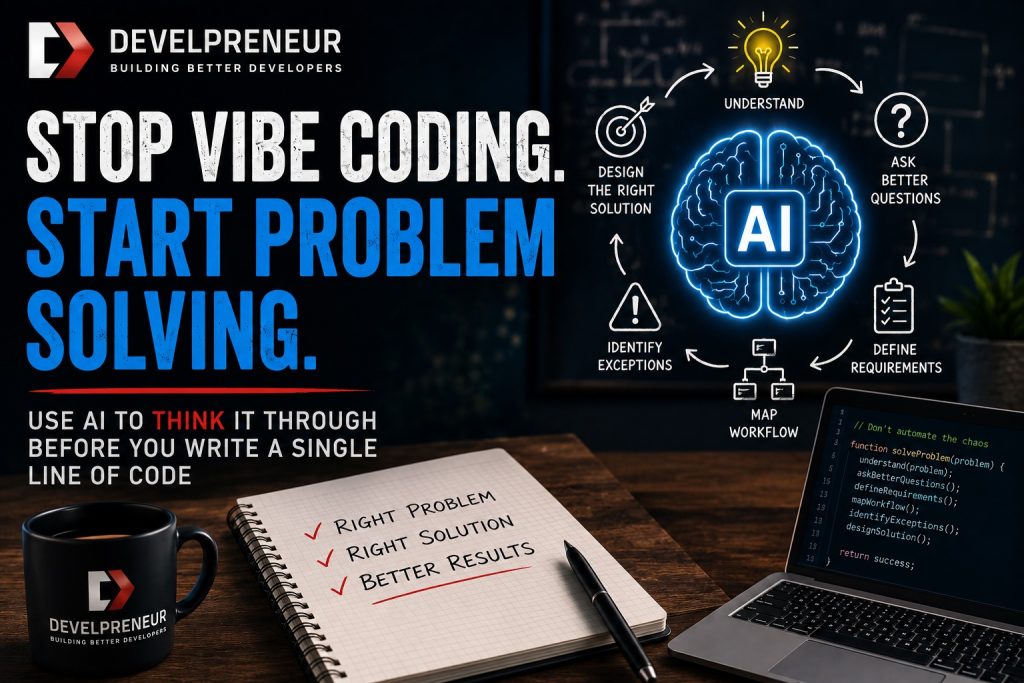

AI has made it incredibly easy to jump from an idea straight into code. You can open ChatGPT, Claude, or another AI tool and say, “Build me an application that does this.” A few minutes later, you may have something running.
That’s pretty amazing, but it’s also where we can get ourselves into trouble.
This week, after our conversation with John Godlove and Piyush Agarwal of Fusion Hive, we kept coming back to the same problem. AI can help us build faster, but faster doesn’t mean we’re building the right thing. If we skip understanding the problem, requirements, data, and workflow, AI will happily help us build the wrong solution faster.
So this week’s challenge is a little different.
Don’t ask AI to build anything. Ask it to help you understand what you should build first.
The Problem With Starting at the Finish Line
Vibe coding makes it tempting to start at the top. You have an idea for a CRM, scheduling system, dashboard, or some other application. You describe what you want, and AI starts generating the solution.
The problem is that you’re starting with the answer before you’ve worked through the question.
When we build software the traditional way, there is usually a lot of work before we start writing code. We gather requirements, ask questions, identify users, look at the data, and work through workflows. We also think about exceptions and determine what success should look like.
We don’t always do those things perfectly. Sometimes we skip steps because we’re in a hurry. AI makes skipping them even easier because it can produce something so quickly that it feels like we’re making progress.
But a working demo isn’t the same thing as a working system.
AI Will Fill In the Blanks
One of the things Rob and I discussed during the weekly challenge was how much context matters when working with AI. If you don’t give AI enough information, it still tries to answer you. It fills in the blanks based on the information and patterns it has available.
That can be useful when you’re brainstorming. It can become dangerous when you’re building something that needs to behave predictably.
If you tell AI, “Build me a CRM,” what exactly does that mean? What customer information do you need? Who can see it? What does your sales process look like? What happens when a lead becomes a customer? What integrations do you need? What shouldn’t the system do?
You may have some of those answers in your head. AI doesn’t unless you give them to it.
That’s one reason I think the person at the keyboard still matters so much. AI can generate code, but you still need to understand the problem well enough to guide it.
Start With the Problem, Not the Application
Rob’s challenge this week is simple. Take a business idea, side project, work problem, or product you’ve been thinking about and have a conversation with AI about it.
But don’t start by saying:
“Build me an app.”
Instead, describe the problem you’re trying to solve.
You might say, “I need a better way to keep track of sales information because we’re losing follow-ups between the initial contact and the proposal.” That’s already a much better starting point than asking AI to build a CRM.
Now ask AI to help you understand the problem. Have it identify the information you need, the decisions you need to make, and the assumptions you’re making. Then ask it to create a step-by-step plan for designing a solution.
You’re still using AI, but now you’re using it to help you think before you build.
This Week’s Challenge
Pick one real problem. It can come from your business, your job, a side project, or an application you’ve wanted to build. Keep it small enough that you can work through it in one sitting.
Then use AI to walk through the problem before writing any code:
- Describe the problem. Explain what isn’t working today and why it matters.
- Ask AI to question you. Have it identify missing information, assumptions, users, data, and constraints.
- Define the outcome. What would a successful solution actually improve?
- Map the workflow. Walk through what happens today from beginning to end.
- Identify exceptions. Ask what could happen outside the normal happy path.
- Build a step-by-step plan. Have AI outline what needs to happen before implementation begins.
- Review the plan yourself. Challenge the assumptions and remove anything that doesn’t solve the original problem.
- Don’t code yet. The point of the challenge is to understand the problem before you start building.
You don’t need to spend hours doing this. Rob pointed out that you can start seeing the value within the first few steps. You’ll probably discover decisions you hadn’t thought about and questions you would normally encounter much later in development.
Learn What Happens Before the Code
I think this challenge is especially useful for developers because it forces us to spend time on something we sometimes rush through. Writing code is only one part of building software.
A lot happens before the code.
You need to understand what people need, how they work, what information the system needs, and what constraints exist. You also need to determine which assumptions you’re making. Those decisions often have a bigger impact on the success of the project than the framework or programming language you choose.
AI can help expose those decisions early. Instead of using it as a developer that immediately starts writing code, use it more like someone sitting across the table asking questions about your idea.
That can make you a better AI user, but more importantly, it can make you a better problem solver.
Give AI Guardrails Before You Need Them
Another benefit of doing this work early is that you start creating guardrails for the rest of the project. During the challenge, Rob talked about defining what you’re building and what you’re not building.
That second part matters.
Projects have a way of growing. You start building one feature, see another possibility, and suddenly you’re three rabbit holes away from the original problem. AI can make this worse because adding another feature can feel almost free.
If you define the scope and goals first, you have something to check against later. When another idea comes up, you can ask whether it supports the original goal. You can even have AI compare the new idea against the plan and tell you when you’re drifting away from it.
That’s a much better use of AI than allowing it to keep adding features simply because it can.
Keep Important Context Outside the Conversation
One of the practical tips I brought up during the challenge was saving important decisions outside the chat itself. Long AI conversations can drift. Context can get lost, and both you and the AI can lose track of decisions made earlier.
I’ve dealt with this by having AI save important project information into Markdown files. That might include requirements, decisions, scope, architecture, current status, or the next steps. Then I can tell the AI to refer back to those documents instead of relying entirely on a long conversation.
The tools are getting better at maintaining project context, but I still like having something deterministic I can go back and read. It gives me a record of what we agreed on and why.
It also gives me something I can challenge.
If the AI starts taking the project in another direction, I can compare what it’s doing against the plan instead of trying to remember a conversation from hundreds of messages ago.
Just Because AI Can Build It Doesn’t Mean You Need It
Rob brought up another point that I think belongs in this challenge: just because you can automate something doesn’t mean you should.
AI has lowered the cost of creating software. Things that would have taken days or weeks can sometimes be prototyped in hours. That’s great, but it also makes it easier to build things that don’t need to exist.
Before adding another feature or automating another task, ask what problem it solves. Does it save meaningful time? Does it reduce errors? Does it improve the customer experience? Does it remove a bottleneck?
Sometimes the right answer is to leave the process alone.
That’s part of problem solving too.
Become a Better Problem Solver
The goal of this challenge isn’t to stop using AI to write code. I use AI all the time, and it’s an incredibly useful development tool. The challenge is to change when you use it.
Don’t make code the first step.
Use AI to help you understand the problem, question your assumptions, and identify what you don’t know. Build the requirements and the plan first. Once you understand what you’re trying to accomplish, then AI can help you build it.
That’s the habit I want you to practice this week.
Pick one problem and work through it with AI without writing code. See how long you can stay focused on the problem before jumping into the implementation.
You might discover that the solution you originally wanted isn’t the solution you actually need.
And finding that out before you write the code is a pretty good win.
Stay Connected: Join the Developreneur Community
👉 Subscribe to Building Better Developers for more conversations on momentum, leadership, and growth. Whether you’re a seasoned developer or just starting, there’s always room to learn and grow together. Contact us at [email protected] with your questions, feedback, or suggestions for future episodes. Together, let’s continue exploring the exciting world of software development.