

AI is an essential tool for many developers, but using it well takes more than picking the most powerful model. As adoption grows, developers and businesses face new questions about cost, performance, infrastructure, and matching the right technology to each task. Knowing when and how to use each option is becoming a core engineering skill.
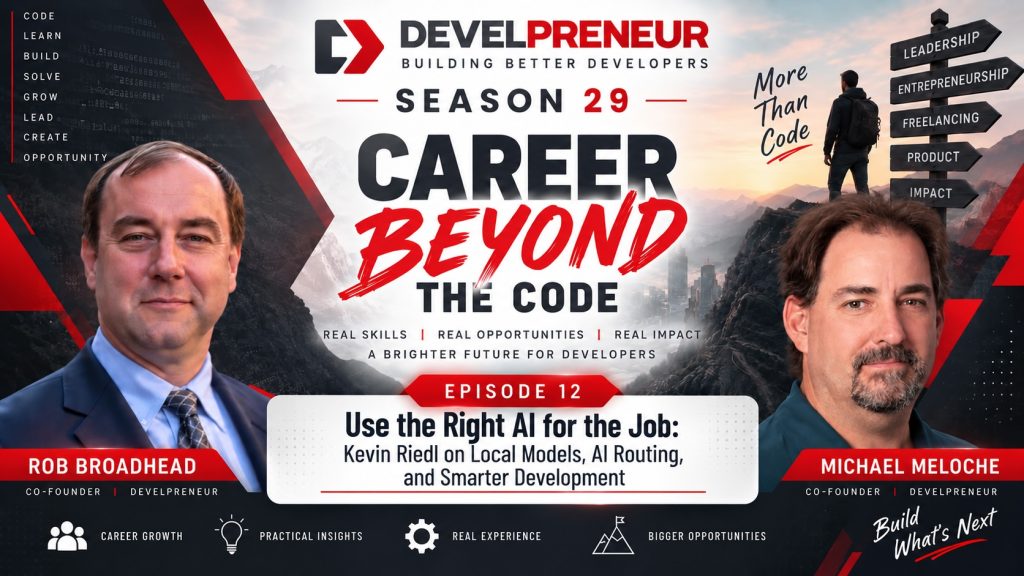
In this episode of Develpreneur, Rob Broadhead and Michael Meloche continue their conversation with Kevin Riedl, founder of Wavect, an AI-native software agency in Austria. Building on our last discussion about AI-native development and software quality, we dig into the technical and business decisions behind efficient AI-powered systems.
Kevin shares his views on local AI models, cloud services, model routing, orchestration, token optimization, and shifting expectations for software development. We also talk about how smaller companies can compete with larger ones by using AI strategically, without piling on cost or complexity.
This episode fits Season 29, Build a Career Beyond the Code. Generating code is getting easier for everyone. Designing efficient systems, controlling costs, and delivering real business outcomes is where the value is.
About Kevin Riedl
Kevin Riedl is the founder of Wavect, an AI-native software agency based in Austria that works with clients internationally. His work covers software engineering, artificial intelligence, product development, and helping organizations build effective technology solutions.
Through Wavect, Kevin helps businesses with AI-assisted development, software modernization, and improving their engineering processes. His approach emphasizes practical results, thoughtful technology decisions, and using AI to create measurable business value. He also shares insights on emerging AI tools, software engineering practices, and technology trends through his professional content and Wavect’s online resources.
Connect with Kevin Riedl:
LinkedIn: https://www.linkedin.com/in/wsdt/
Wavect: https://wavect.io/
Local AI vs. Cloud AI: Which Makes More Sense?
As developers get comfortable with AI, many start thinking about running models locally. Instead of relying on ChatGPT or Claude, they consider buying hardware and hosting their own AI infrastructure.
Michael brought this up while talking about his experiments with Apple Silicon, including Mac minis and a Mac Studio. Powerful consumer hardware gives developers more room to experiment with local models and build private AI systems.
Kevin says the decision often comes down to economics.
Local AI keeps improving, but cloud-based frontier models are still cheap compared with buying and maintaining the hardware needed to approach their capabilities. For many individuals and small businesses, running advanced models locally would cost more than a commercial AI service.
That doesn’t mean local AI has no value. Running models locally gives you more control over your data, less dependence on outside providers, and a good fit for workloads that run continuously. It also lets developers see how models behave outside the interfaces the major AI companies provide.
The real question is whether the investment supports an actual business or technical need. A company sending occasional requests will likely do better with a cloud subscription. An organization running AI workloads around the clock may find dedicated hardware increasingly attractive.
Kevin recommends understanding both approaches instead of assuming one always wins.
Why Developers Should Experiment With Local Models
Even if cloud AI makes financial sense today, developers should know the alternatives.
AI providers keep changing their models, capabilities, pricing, and services. A business that depends on one provider may eventually hit limits that affect its costs or operations. Understanding local AI gives you another option.
Kevin suggests Hugging Face as a starting point for exploring available models. The platform hosts a large collection that developers can evaluate for different workloads. Tools like Ollama make it easier to run supported models on local hardware, compare capabilities, and learn the limits of smaller models.
Experiments should have a purpose. A developer might test whether a local model can summarize documents, classify information, process internal records, or handle repetitive tasks without sending data to an outside service. Those jobs don’t necessarily need the most advanced model available.
Once you know which tasks a local model can handle, you can design systems that balance performance, cost, and privacy.
AI Model Routing: Choosing the Right Model for Each Task
One of the most interesting topics in our conversation was AI model routing.
Many developers pick a single AI platform and use it for nearly everything. The same advanced model summarizes emails, writes documentation, analyzes complicated architecture, and produces production code. It’s convenient, but it isn’t always efficient.
Kevin believes model routing will become an important part of AI development. Instead of sending every request to the same model, a routing system evaluates the task and picks a model that fits its requirements.
It works like assigning work on a development team. You wouldn’t put your most experienced architect on every small documentation update or routine data-processing job. You don’t need the most powerful AI model for every request either.
A model-routing strategy might look like this:
- Simple classification: Use a smaller model to categorize emails, documents, or support requests.
- Document summarization: Use a model that can handle the required context without extra reasoning overhead.
- Code generation: Pick a model suited to the complexity and requirements of the task.
- Architecture analysis: Use a more capable model when the work needs deeper reasoning and broader context.
- Sensitive internal processing: Consider local models when privacy requirements rule out external services.
- Complex problem-solving: Escalate difficult tasks to a more advanced model when simpler approaches fall short.
The goal isn’t to pick the cheapest model. It’s to find the least expensive model that can reliably do the job. A model that’s too limited can cost more in the end if it produces wrong results or needs repeated attempts. Kevin stresses that routing has to balance capability and efficiency, not just price.
For developers building AI-powered applications, this is another place to apply traditional engineering principles.
AI Orchestration: Letting Models Work Together
Model routing gets even more powerful when combined with orchestration.
Instead of relying on one model to complete an entire workflow, developers can build systems where a more capable model coordinates several specialized agents or smaller models. Kevin described an approach where a higher-level AI system decides what needs to be done and delegates tasks to other models.
That mirrors how software teams divide work. A senior engineer defines the overall architecture while other team members build specific components. An AI orchestrator can take a larger objective, break it into manageable tasks, and assign each one based on the capabilities it needs.
A development workflow might use separate agents to analyze requirements, generate code, review changes, run tests, and summarize results, with the orchestration layer coordinating the work and deciding when more is needed. This can reduce how much expensive model processing goes to routine tasks.
Orchestration also adds complexity. Developers have to consider how agents communicate, how results get validated, and how the system handles failures. The goal isn’t to build as many agents as possible. It’s a workflow that produces reliable results with reasonable resource use.
Kevin also noted that existing AI development tools already include some orchestration features. Try those before building a complicated custom solution.
Sometimes the Best AI Solution Doesn’t Use AI
Rob raised another point: what happens when an AI workflow becomes predictable enough that it no longer needs AI?
Software development has always meant finding repeatable processes and automating them. Once the rules are clear, developers can often build deterministic solutions that give consistent results. AI doesn’t change that.
Kevin says that if a task requires deterministic behavior, use deterministic technology instead of adding a language model. If a system needs to validate a known data format, calculate a specific value, or apply established business rules, conventional software is usually more consistent and cheaper.
AI earns its place when a task requires interpretation, reasoning, or handling information that doesn’t follow a predictable structure. Developers can get so focused on integrating AI that they overlook simpler options. A well-designed application may use AI for some tasks and conventional code for others.
The best architecture isn’t the one that uses the most AI. It’s the one that solves the problem efficiently and reliably.
AI Is Raising Customer Expectations for Software
AI adoption is also changing what customers expect.
Developers can build prototypes and minimum viable products faster than ever. Applications that once took weeks can become working demos in days. Kevin points out that customers know this. When software gets easier to produce, they expect more.
That adds competition. A functional application no longer gives the advantage it once did. More businesses can build software, more entrepreneurs can test ideas, and more developers can bring products to market. As the number of solutions grows, standing out takes more than the ability to generate an app.
Businesses need to deliver better outcomes. That might mean understanding customers more deeply, designing better experiences, solving more valuable problems, or delivering a level of quality competitors overlook.
AI lowers some barriers to development. It doesn’t create a successful product on its own.
Why Expertise Still Matters in an AI-Driven Market
As AI becomes more accessible, developers may wonder whether their experience still counts. Kevin’s view is that it counts in different ways.
If everyone has similar AI tools, the advantage shifts to how well those tools are used. Experienced developers understand architecture, integration challenges, security requirements, performance, and maintainability. That lets them recognize when an AI-generated solution is appropriate and when it needs more work.
Business knowledge matters more too. A developer who understands the customer’s problem can steer AI toward a useful solution. A developer who only generates code may build an impressive application that misses the actual business need.
This ties directly to our Season 29 theme. The future of software development isn’t about learning to prompt AI. It’s about understanding how technology supports business goals and how to deliver reliable solutions.
AI provides leverage. Expertise determines how well you use it.
Reducing Token Costs Without Overcomplicating Your Workflow
Michael raised a practical concern for independent developers and small businesses: controlling AI expenses.
Large organizations may have big budgets for AI experimentation. Smaller companies have to be more deliberate. Subscriptions, API usage, and automated agents get expensive fast when nobody tracks consumption.
Kevin recommends getting the fundamentals right before investing in optimization frameworks. One of the most effective moves is keeping clear documentation and giving AI systems the context they actually need. Developers can also use tools that trim unnecessary context, compress verbose command output, and organize repository information more efficiently.
Kevin mentioned several approaches worth exploring:
- AGENTS.md files: Document project instructions, development conventions, and quality expectations for compatible AI coding agents.
- Context-management tools: Try utilities such as RTK AI and Lean Context to cut unnecessary information sent to models.
- Repository knowledge tools: Experiment with graph-based approaches that help AI understand relationships within a codebase.
- Model routing: Give simpler tasks to less expensive models when the results are acceptable.
- Agent orchestration: Configure agents to pick appropriate models and reasoning effort for delegated tasks.
- Clear acceptance criteria: Define what successful completion looks like before letting AI implement a solution.
These techniques can cut token usage while keeping developers in control of their workflows.
Kevin also cautions against spending too much time optimizing every detail. For smaller organizations, getting the most useful fundamentals in place may be enough, with no elaborate AI infrastructure required. The aim is to spend less time managing AI and more time delivering valuable work.
Stop Focusing on Perfect Prompts and Start Defining Better Goals
One of Kevin’s most practical recommendations changes how developers talk to AI.
Instead of spending hours crafting elaborate prompts, he focuses on clear goals, requirements, and acceptance criteria. That’s traditional software engineering. Before development starts, teams should know what they’re trying to accomplish, document the requirements, and decide how success will be measured. AI doesn’t change that.
Rather than giving an AI agent a long series of instructions covering every implementation detail, give it a clear objective and the information it needs to finish the job. The agent works toward that objective while the developer checks whether the result meets the requirements.
If you want a new feature, don’t just ask for it. Define the expected behavior, required integrations, security considerations, and acceptance tests.
The workflow becomes more structured. AI handles implementation while developers make sure the solution delivers the intended outcome. It also raises the value of testing, because acceptance criteria give you a measurable way to decide whether the work is done.
Documentation and Testing Remain Essential
Across both parts of our conversation, Kevin keeps returning to established software development principles. Documentation, requirements, testing, and quality assurance still matter as AI tools get more capable, and they may matter more as developers hand more responsibility to AI agents.
Clear documentation helps agents understand the system. Well-defined requirements keep them focused on the right problem. Acceptance criteria give you a way to evaluate results, and automated and manual testing help catch defects.
Kevin also discussed how AI agents can take part in testing, including end-to-end testing and work with emulators or connected devices. That can speed up validation, but developers still need to understand what’s being tested and whether the results mean anything.
A passing test doesn’t guarantee an application meets every business requirement. An AI-generated test suite can also miss scenarios an experienced tester would catch.
Combine automation with engineering judgment. AI can do more of the work, but developers remain responsible for the quality of the finished product.
Building a Competitive Advantage With AI
Near the end of the conversation, Kevin shared his view on using AI to build a business.
Calling a company AI-native is unlikely to stay a meaningful advantage. As more organizations adopt AI, the technology becomes part of the expected baseline. Businesses will have to show how they use it to deliver better products, services, and customer experiences.
Kevin gave an example from Wavect’s own marketing. After relaunching its website and applying new approaches, the company saw a substantial increase in online impressions. The lesson is that businesses willing to experiment, learn, and adapt can find opportunities slower competitors miss.
Those opportunities may not last. As more companies adopt similar techniques, the advantage fades. Businesses need to keep improving instead of leaning on one tool or strategy.
AI lets you accomplish more with limited resources, but success still depends on choosing the right activities. For independent developers and small software companies, that creates room to compete through specialization, customer understanding, quality, and responsiveness.
The goal isn’t just to work faster. It’s to use the extra capacity AI provides to deliver something more valuable.
Final Thoughts: Use AI Strategically, Not Everywhere
The first stage of AI adoption was about discovering what the technology could do. Developers experimented with code generation, documentation, automation, and increasingly sophisticated assistants.
The next stage is using those capabilities efficiently. That means knowing when local AI makes sense, choosing appropriate models, managing context, controlling token usage, and designing workflows that balance automation with reliability. It also means recognizing when traditional software is the better answer.
Developers who understand these tradeoffs build systems that are more efficient, maintainable, and valuable to customers.
Technical knowledge alone won’t be enough. Developers will need to combine engineering experience with business understanding, problem-solving, and the ability to evaluate emerging technology. The most successful ones won’t necessarily use the largest models or the most complicated agent frameworks. They’ll know which tools to use, when to use them, and how to turn those capabilities into meaningful results.
That’s another step toward building a career beyond the code.
Stay Connected: Join the Developreneur Community
👉 Subscribe to Building Better Developers for more conversations on momentum, leadership, and growth. Whether you’re a seasoned developer or just starting, there’s always room to learn and grow together. Contact us at [email protected] with your questions, feedback, or suggestions for future episodes. Together, let’s continue exploring the exciting world of software development.