
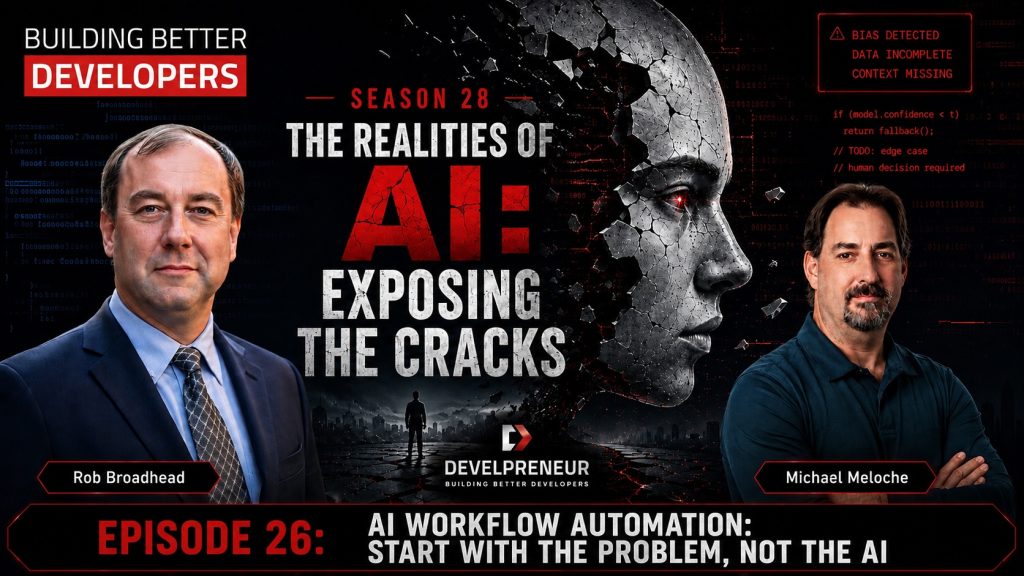

AI is everywhere right now. Businesses are being told they need to adopt it, developers are being asked to build with it, and almost every software product seems to be adding some kind of AI feature or AI Workflow Automation.
But just because you can put AI into a process doesn’t mean you should.
That was one of my biggest takeaways from our conversation with John Godlove and Piyush Agarwal, co-founders of Fusion Hive. Both have spent more than a decade working with automation, data, machine learning, and enterprise technology. What I liked about this conversation was that we weren’t talking about AI as some magical solution. We kept coming back to something much more practical: understanding the problem, understanding the workflow, and then deciding where AI actually makes sense.
About John Godlove and Piyush Agarwal
John Godlove is co-founder of Fusion Hive and has more than a decade of experience helping organizations from startups to Fortune 500 companies build and deploy automation. His background includes work in the Salesforce ecosystem, AI, data, and technology implementation.
Piyush Agarwal is co-founder of Fusion Hive and has more than a decade of experience in artificial intelligence and machine learning. His experience includes financial fraud detection, document intelligence pipelines, generative AI multi-agent architectures, and production machine-learning engineering.
Together, John and Piyush founded Fusion Hive to bring enterprise AI and automation experience to small and mid-market businesses. Their approach focuses on practical workflows, measurable outcomes, governance, and production-ready AI systems.
The Best AI Project Might Be the Boring One
When most people think about an AI project, they tend to think about the flashy stuff. They want a chatbot, an agent, or something they can demo and say, “Look what our AI can do.”
John brought up a different type of project: the boring back-office workflows that nobody really wants to do.
Think about someone receiving an email with a PDF attached, opening the document, finding a few pieces of information, entering that information into another system, and then doing the same thing again. Maybe they do it 20 times a day. Maybe they do it hundreds of times a week.
John described these as “swivel chair” workflows. Employees are constantly moving between systems, re-entering information and turning unstructured data into structured data. These aren’t exciting processes, but they can consume an incredible amount of time.
That’s exactly why they can be great automation candidates. If you can save five or ten minutes on something that happens hundreds of times, the value starts adding up pretty quickly.
Not Everything Needs AI
This was probably one of my favorite parts of the conversation because it goes back to something I’ve seen throughout my career in software development, integration, and testing.
Sometimes you don’t need AI. Sometimes you just need a script.
Piyush made a great point about being deterministic where you can. If you’re extracting something from a document and a regular expression, parser, Python script, or existing library can reliably do the job, why send it through an LLM?
We’ve had these tools for years. They work, they’re predictable, and they’re usually cheap to run.
The interesting part is figuring out where that deterministic approach stops working. Maybe you’re dealing with text that needs interpretation. Maybe the documents aren’t consistent. Maybe you’re trying to understand intent or classify information that doesn’t fit neatly into a set of rules.
That’s where AI may start making sense.
The answer doesn’t have to be traditional software or AI. A good system might use both.
Build the Workflow First
Piyush described their approach at Fusion Hive as workflow first, and I think that’s an important distinction.
Don’t start by asking, “Where can we use AI?”
Start by asking, “What are we actually trying to accomplish?”
Walk through what people are doing today. Where does the information come from? Where does it go? Who touches it? What decisions are being made? Where are people wasting time? Where are mistakes happening?
Once you understand that, you can start deciding which pieces should be automated.
Some steps might be traditional software. Some might use AI. Some might disappear completely. And some may still need a human.
That’s a much different approach than dropping AI on top of an existing process and hoping it makes everything better.
Human in the Loop Is Only Part of the Solution
We’ve talked a lot this season about keeping humans involved with AI, but this conversation made me think about it a little differently.
It isn’t always just AI versus human.
You may actually have three or four options for every step in the process: deterministic software, traditional automation, AI, or a person.
The key is deciding which one makes sense for that particular task.
A predictable data transformation probably belongs in code. A text-heavy classification problem might be a good fit for AI. A rare exception involving money, compliance, or an important business decision might still need a person.
John also brought up something that is easy to overlook when you’re designing these systems: the happy path isn’t the whole workflow.
What happens when something doesn’t fit?
Does another automation handle it? Does another AI agent look at it? Does it go to another department? Does a person need to review it?
Those exceptions are part of the system too, and if you don’t think about them before you automate the workflow, you’re probably going to discover them the hard way later.
Don’t Automate a Process Just Because It Exists
Another point John made really stood out to me. When you introduce AI or automation, you shouldn’t automatically recreate every step of the existing process.
He used the example of a law firm where documents might pass through several levels of review before eventually reaching a partner. If you build an AI-assisted process, evaluate it properly, and reach a point where you trust the output, maybe all of those intermediate approvals aren’t necessary anymore.
That’s an important difference.
You’re not just asking:
How do we automate this process?
You’re asking:
What should this process look like now?
I’ve seen this in software projects for years. Companies sometimes spend a lot of money automating a bad or outdated process. They end up doing the wrong thing faster.
Before you automate something, make sure the process itself still makes sense.
It Still Comes Back to Data
At one point in the conversation, I joked that I kept bringing everything back to data. But after years of working with integrations, testing frameworks, healthcare systems, file parsing, and automation, it’s hard not to.
AI still needs data.
If your information is scattered across emails, PDFs, spreadsheets, databases, and systems that don’t communicate with each other, throwing AI at the problem doesn’t magically clean that up.
Piyush described the possibility of eventually creating an intelligence layer over that data—a kind of company brain where people can interact with business information through natural language. That’s powerful, but the information still has to be accessible and usable underneath it.
Sometimes the first step toward implementing AI isn’t implementing AI at all. It might be cleaning up the data, connecting systems, building an integration, or finally automating a process that should have been automated years ago.
And that’s okay.
You’re solving the business problem, not trying to win an award for using the most AI.
Six Signals That You May Have a Good AI Workflow
Piyush gave us a practical framework for identifying a good first workflow. Instead of randomly picking an AI project, Fusion Hive looks for six signals.
- Volume: Does this happen often enough that saving a few minutes each time will actually matter?
- Repeatability: Does the process follow roughly the same pattern each time?
- Measurable cost or delay: Can you point to hours, dollars, turnaround time, or another metric that could improve?
- Accessible data: Are the inputs already available somewhere, such as a database, email, PDF, or form?
- Manageable exceptions: Are the unusual cases a small enough percentage that they can reasonably be routed to another process or a person?
- A clear owner: Is there someone who understands the outcome well enough to say whether the new process is actually working?
I like this framework because none of those questions start with AI.
They start with the business.
How Will You Know It Worked?
This is another area where businesses can get themselves into trouble.
“We implemented AI” isn’t a success metric.
What changed?
Did the process go from 60 hours a week to 40? Did turnaround time improve? Did the error rate drop? Did employees stop entering the same information into three different systems? Are people able to spend more time on work that actually requires their knowledge?
If you don’t know what you’re trying to improve before you start, it’s going to be difficult to prove that the AI actually helped.
That also means you need a baseline. Understand what the process costs you today before you change it.
Otherwise, six months from now, you may have a cool AI system and no idea whether it saved the business anything.
Start With the Problem
There is a lot of pressure right now to adopt AI quickly. I understand it. The technology is changing incredibly fast, competitors are talking about it, customers are asking about it, and nobody wants to feel like they’re falling behind.
But moving quickly doesn’t mean you should skip the fundamentals.
Understand the problem. Map the workflow. Find the data. Identify the exceptions. Figure out what can be deterministic. Decide where AI actually provides value. Determine where humans still need to be involved. Then decide how you’re going to measure success.
Then build it.
That might not sound as exciting as “put AI everywhere,” but it’s much more likely to produce something that actually works.
And sometimes the best AI project isn’t the flashy one everyone wants to demo.
It’s the boring process everyone wishes they didn’t have to do anymore.
Stay Connected: Join the Developreneur Community
👉 Subscribe to Building Better Developers for more conversations on momentum, leadership, and growth. Whether you’re a seasoned developer or just starting, there’s always room to learn and grow together. Contact us at [email protected] with your questions, feedback, or suggestions for future episodes. Together, let’s continue exploring the exciting world of software development.
[…] AI Workflow Automation: Start With the Problem, Not the AI […]